
How it works.
Share it in
See something worth a look in Safari, a social feed, or a group chat? Hit share, tap Readulator, done. You stay in whatever you were doing.
Clean capture
Readulator fetches the full article, cleans it of cruft, tags it on-device, and categorizes it. Nothing is sent to a cloud service to be read.
Come back on your terms
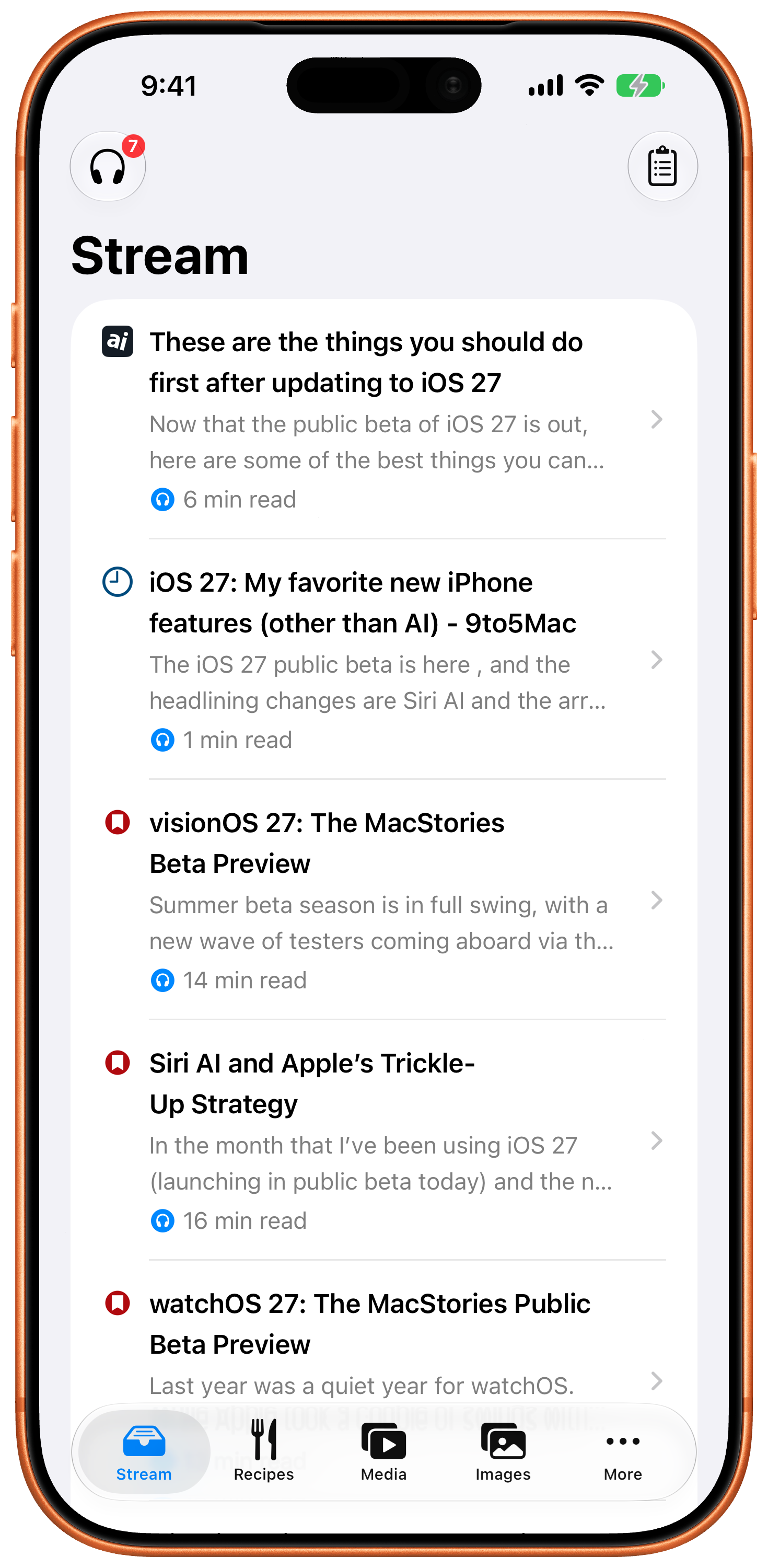
Skim the Stream: headline plus a few summary lines each. Read it, have it read aloud to you, save it for action, or swipe it away. No unread counts, no guilt.
What's in the box.
The Stream
One tidy list of every text item, articles, threads, you've captured: headline, summary, source. Swipe to clear or archive. It's an inbox that doesn't nag.
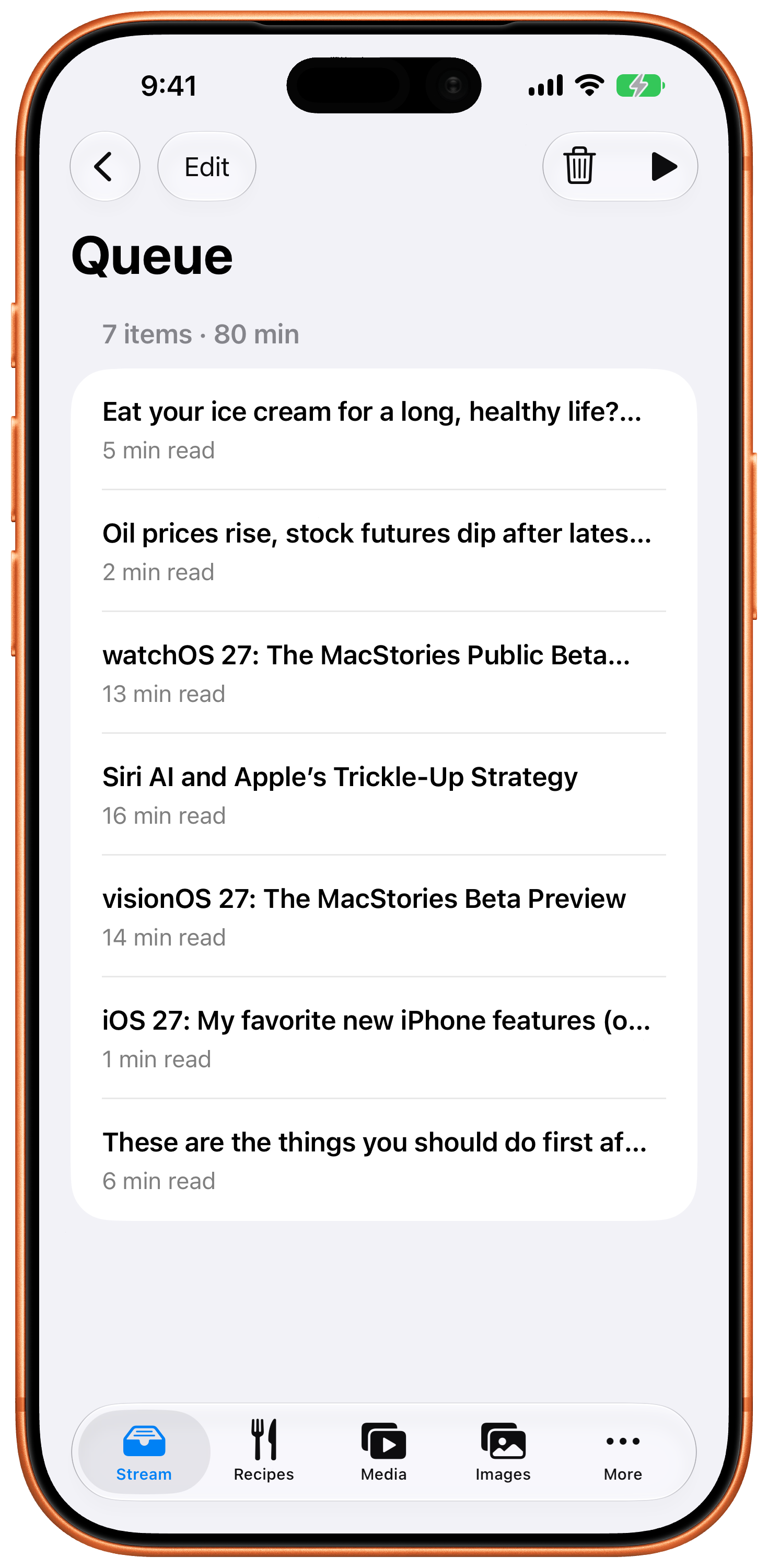
Listen queue
Turn saved articles into a playlist and listen like a podcast: on a walk, in the car, doing dishes. Pick the voice you like.
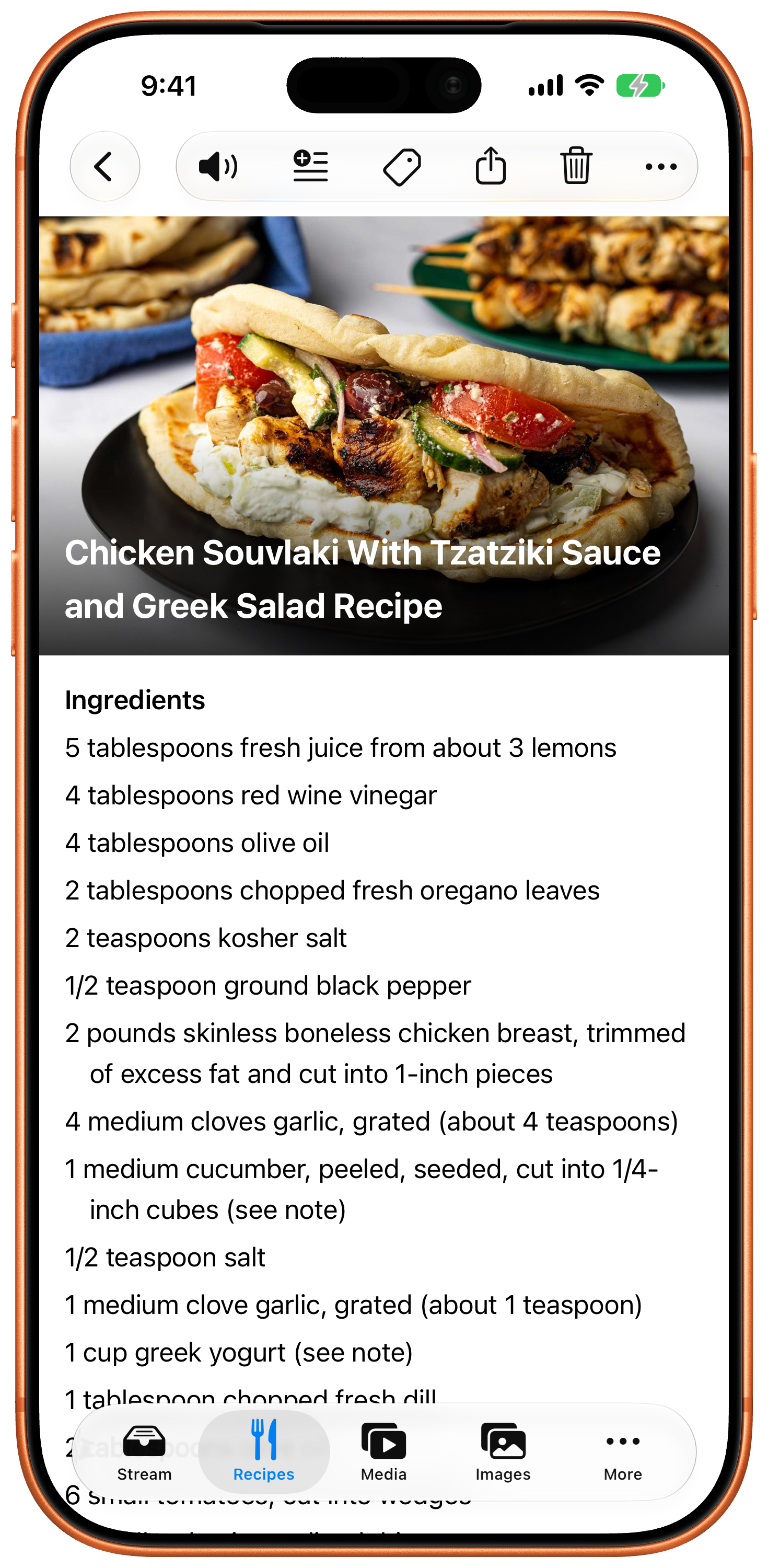
Full articles, not links
Readulator saves the actual text, so items stay readable even when the page changes or you're offline.
Unroll that thread
Share the first item in a thread on BlueSky or Mastodon and get the whole thing as a clean article in your stream. Yeah, we could do X, but won't.
On-device AI
Summaries and automatic tags come from Apple's on-device models. Private by design, not by promise. It even works in airplane mode.
A home for everything
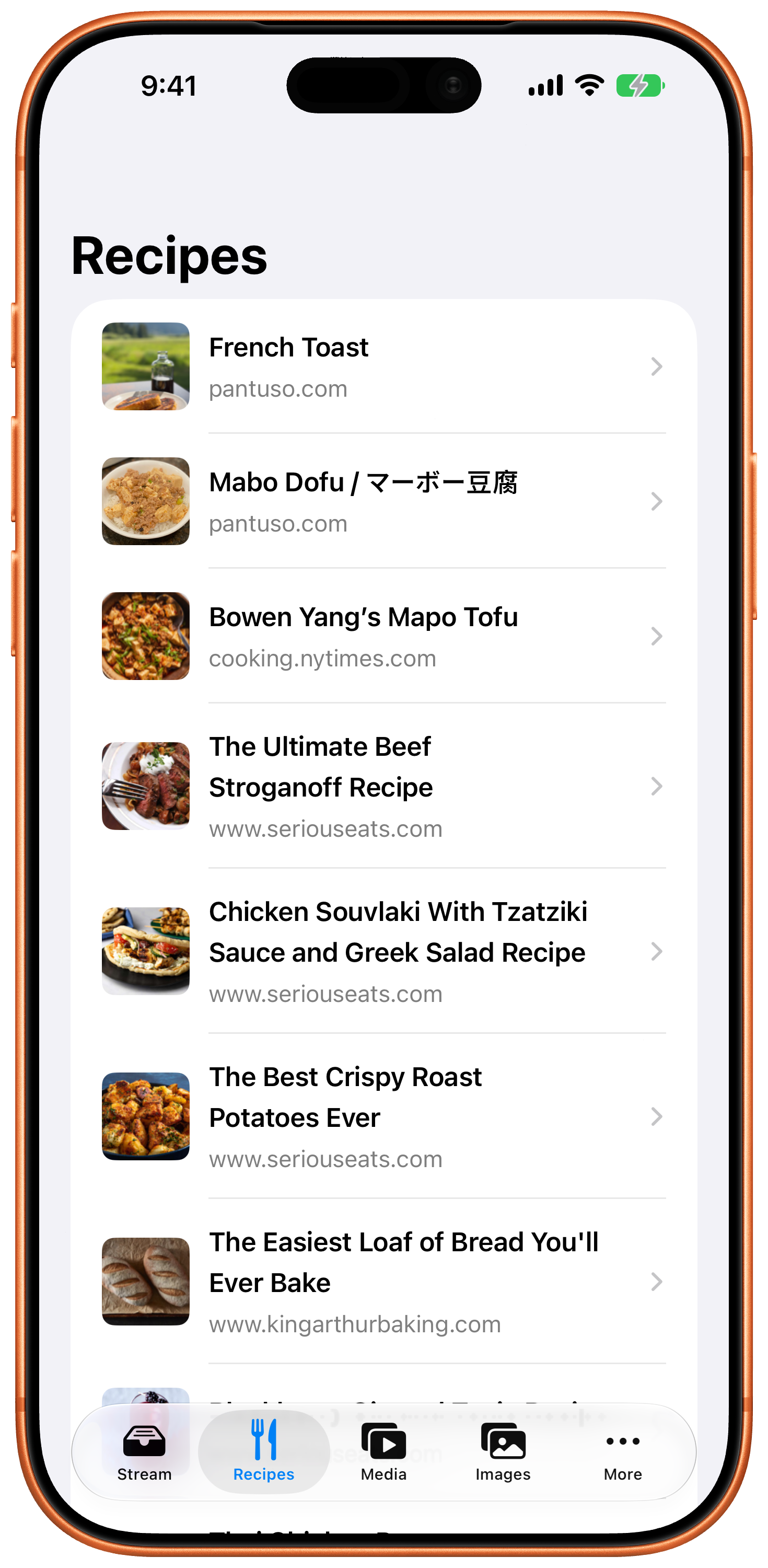
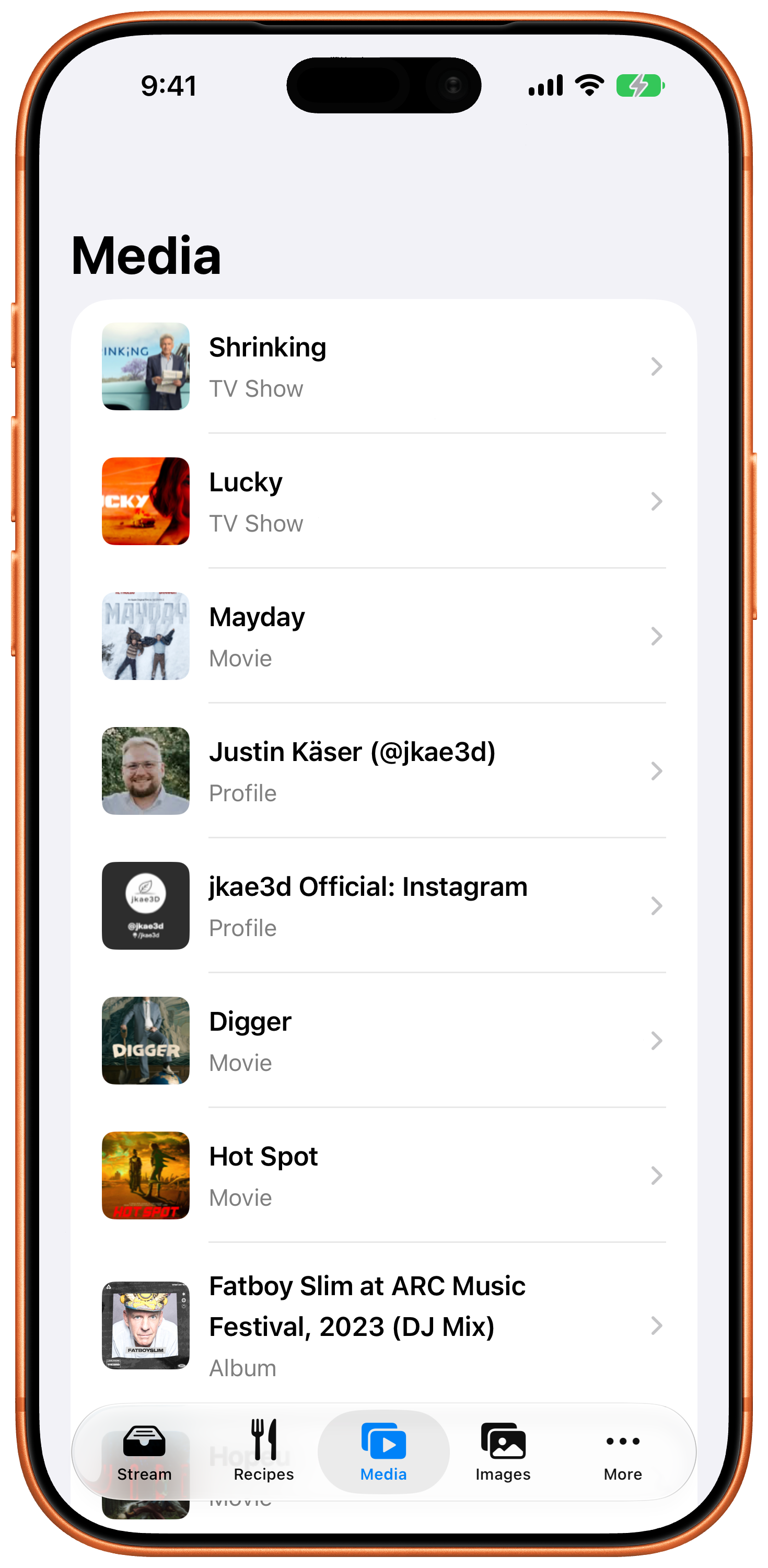
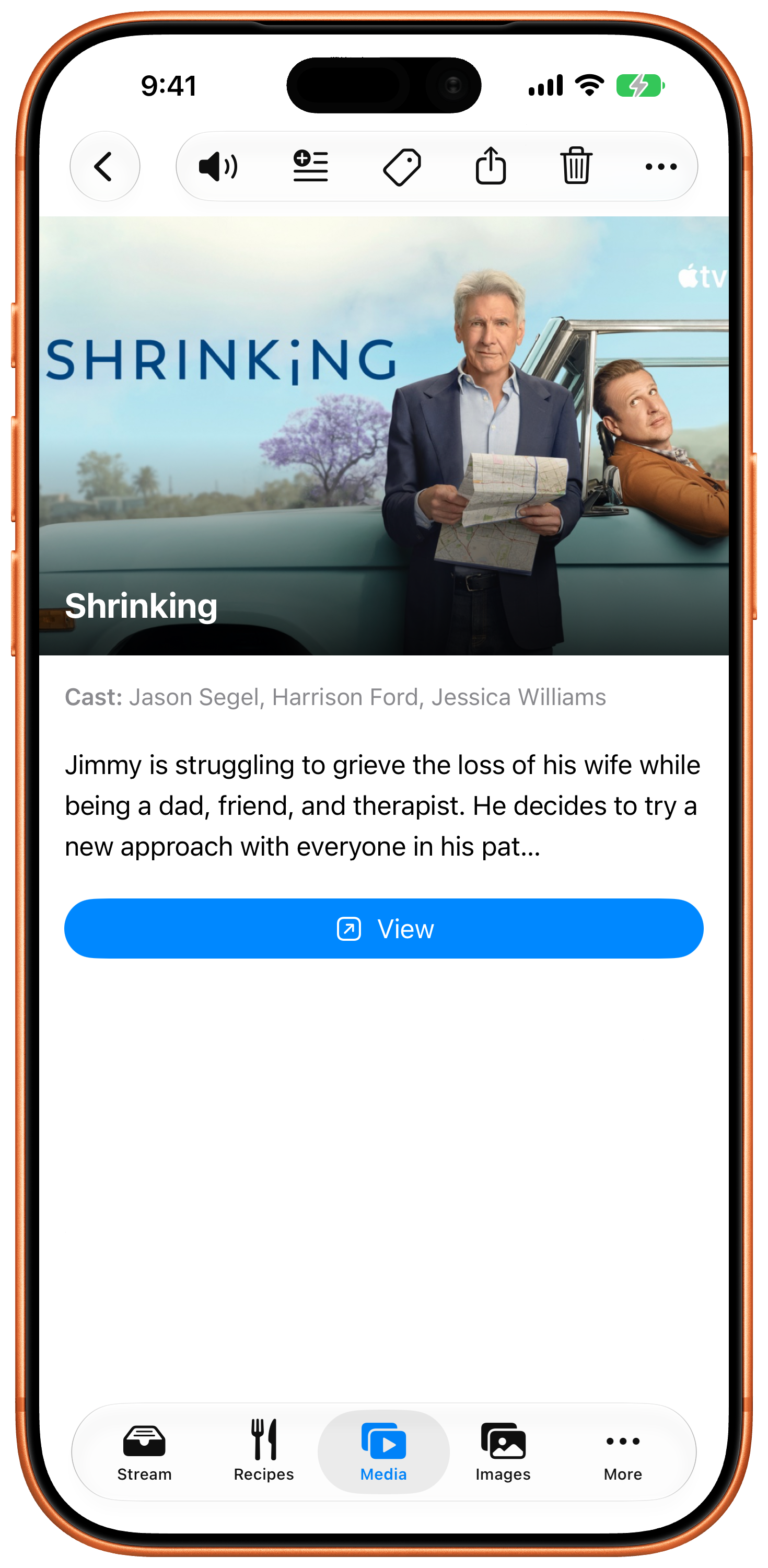
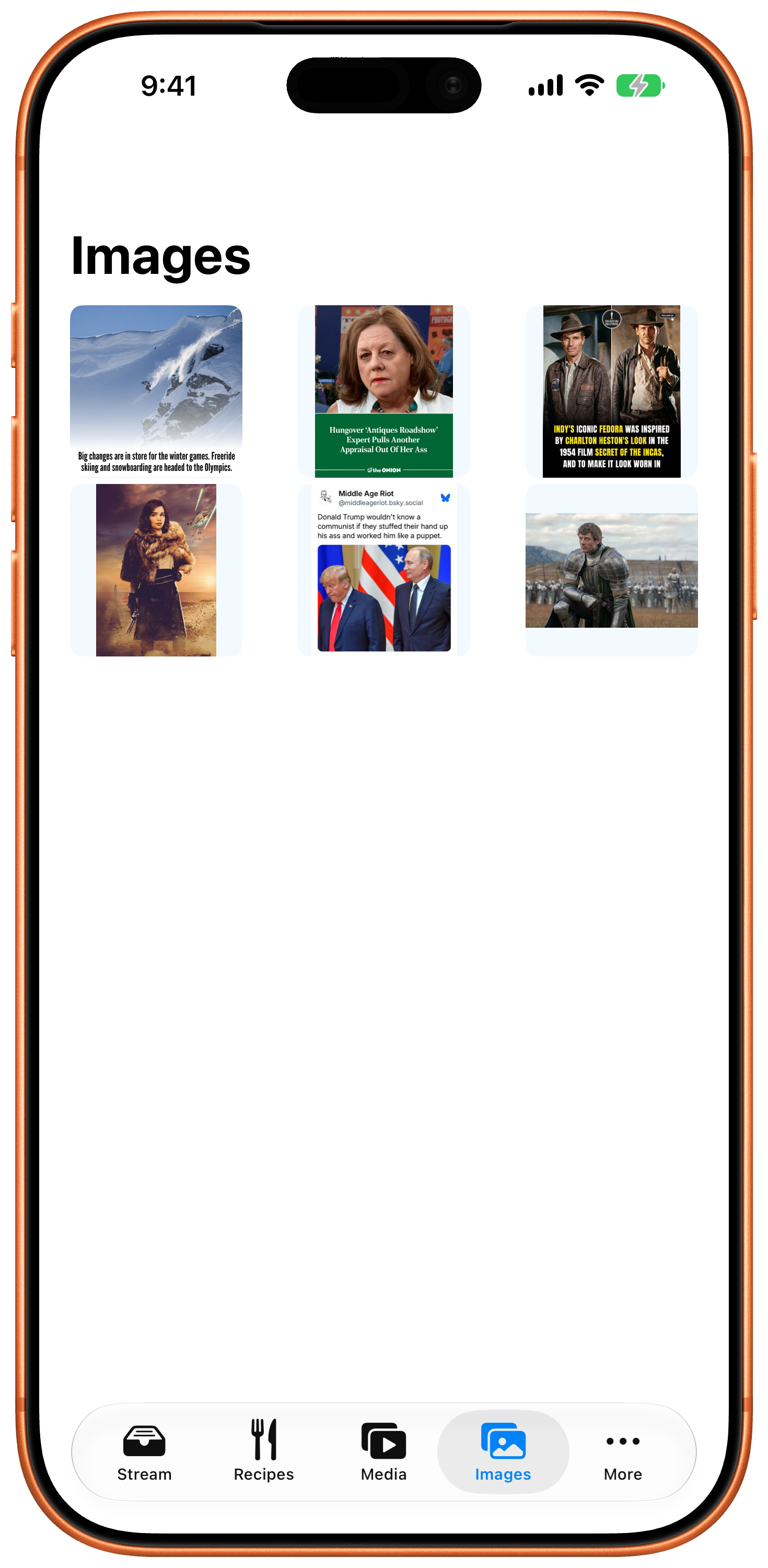
Recipes, media, and images each get their own list, automatically. A recipe you captured six months ago is exactly where you left it.
Tags & search
Automatic tags plus your own. Search covers everything: titles, text, sources, tags, even the words inside captured images.
Highlights
Mark what mattered. Highlights stay with the article.
Archive or delete
Done with something but not ready to lose it? Archive keeps it out of the way and fully searchable. Restore any time.
Capture from your desk
A companion browser extension sends pages from your computer straight to your phone's Stream.
See it.
Questions.
Why "Readulator"?
It's "read you later" said fast, and machines that do a job for you get named with -ulator. Calculator. Discombobulator. Readulator.
Do I need an account?
No. There's no sign-up, no login, no profile. Install it and share something to it.
Where does my data live?
On your iPhone. Articles, summaries, tags, and highlights are stored and processed on the device. See the privacy page for the short full story.
Can it subscribe to sites or newsletters for me?
Not yet. Today Readulator is share-sheet first: you feed it, it organizes. Automatic feeds are on the roadmap.
What does it cost?
The beta is free through TestFlight. Pricing for the App Store release hasn't been set yet; beta testers will hear it first.
I used to use Pocket. Or Instapaper. How is this different?
Pocket shut down in 2025 and Mozilla deleted the saved archives, so there's a life after Pocket page about replacing it. Instapaper is still going strong and is better than Readulator in a few specific ways, which are spelled out on the Instapaper comparison page.
An article came out mangled. What do I do?
Report it from the item's ⋯ menu. One report is usually enough to fix that site for everyone, since it's the same handful of heuristics reading every page. Here's what makes a report useful, including the trick of highlighting the offending text first.
How do I get it?
Readulator is in a TestFlight beta right now. Never used TestFlight? Here's the two-minute walkthrough, including the invite link and what you need first (an iPhone with Apple Intelligence, running Apple's iOS 27 beta).
Tell me when it ships.
Readulator needs iOS 27, which arrives this fall. Leave an address and you'll get one message when it's on the App Store, plus the occasional note when something worth hearing about lands. Nothing else, ever.
Double opt-in, so watch for a confirmation email. One click unsubscribes, from any message. Your address is never sold or shared.